Serivice Guide
MISLAND Site Tour
Registration and Log in
New users to the service will be required to register a new account to use the service. Registering a new account is a simple two step process
Click on the log-in icon on the right hand side of the navigation-bar

Finding the log in option
Choose the ‘Not a user? Sing up’ option on the log in menu that pops up
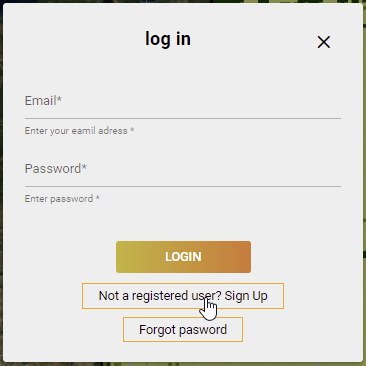
new user registration
Registered users can proceed to log in with their Email and password.
User profile and custom uploads
Once loged in, users can select their profile to edit their information and for custom uploads. For custom area uploads, follow the simple steps as outlined below:
Click on the user-name that appears on the navingation bar items

User profile and options
Click on the
 button. This should open up the file browser.
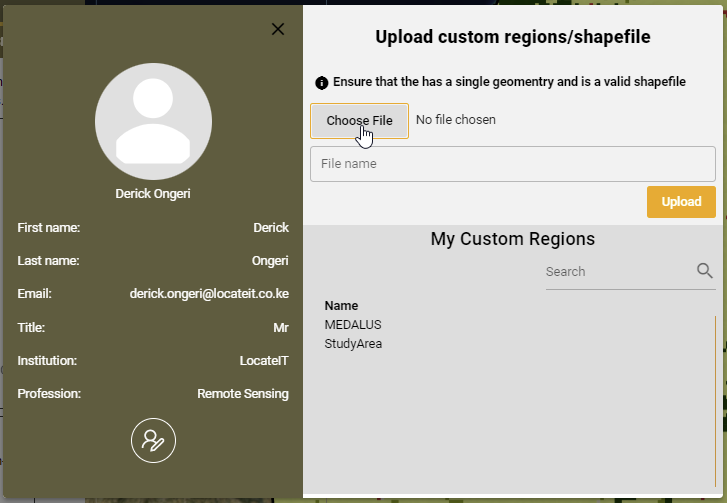
Selecting custom files for upload
Navigate to the location in which you have stored your zipped shapefile and click on the
